
High registration numbers don’t automatically mean high donation revenue. In fact, an event with a big registration number and a low donation total is often a sign that the donation and fundraising setup isn’t quite right.
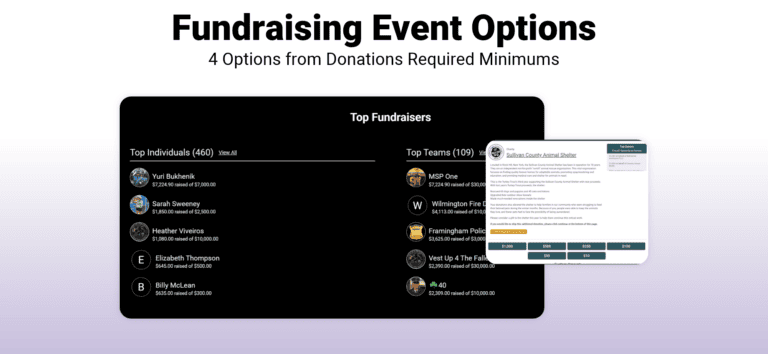
The fix usually isn’t more participants. It’s choosing the right fundraising event options for your event, then configuring it with intent. The payoff can be big: in the 2025 RaceTrends Report, events with peer-to-peer fundraising raised 726% more on average than events with simple donations only ($8,312 vs. $1,006). But the options aren’t only “donations or peer-to-peer fundraising”. In this blog, we look at four options for your fundraising event to help you pick the setup that makes sense for your event.
- Simple donations
- Donations + optional peer-to-peer fundraising
- Donations + required peer-to-peer fundraising pages
- Required peer-to-peer fundraising with fundraising minimums
Below, we break down who each option is for, how to set it up, and the best practices that help it raise more.
Best Practices for Every Fundraising Event
Whichever option you pick, it’s important to match your setup to your event format, whether that’s a timed race, a peer-to-peer walk, or a school fundraiser. Aim for the simplest setup that still gives donors and fundraisers every tool they need: these fundamentals apply for all setups.
Write a donation description
This is a common oversight: a great event with a great cause and no donation description at all. It’s the message registrants see when they’re asked to give, so it needs to say why you need their support. Include your mission statement and your donation goal.
Where to find it: Donations >> Setup >> General Settings
Set explicit, dynamic goals
Set a donation goal and suggested donation levels during setup. Size the goal to your growth potential, and raise it once you hit it. If you reach $5,000 a month before race day, thank supporters and set a new $10,000 goal. Every milestone becomes something to market.
Suggested donation levels can be named, too. Basic levels can be tiers like Gold and Silver. However, for maximum effect, use levels to display the real-world impact of each amount (like the number of meals covered by a donation amount.
Where to find it: Donations >> Setup >> General Settings
Customize the donation confirmation email
Write a quick thank-you in the donation confirmation email to acknowledge every donation. Include your tax ID number, nonprofit address, and legal nonprofit name. That turns the automatic receipt into something donors can use for taxes.
Where to find it: bottom of Donations >> Setup >> General Settings
Use your website to encourage giving
Website V2‘s data-driven components put your mission and progress front and center. Add a donation goal thermometer that automatically as gifts come in. And, include components for Slideshows, YouTube clips, and the Top Donors to fully tell your story.
Where to find it: Websites V2 >> Website Builder >> Add Component
Repeat your mission everywhere
You never know where people are paying attention. Share your mission and impact in more places than the donation description: your landing page, marketing emails, confirmation emails, and an “About Us” menu tab.
Option 1: Simple Donations
Best for: traditional endurance events like timed races, marathons, and cycling events, whether free or paid.
With simple donations, participants can add a gift during registration, and anyone can donate without registering. There are no personal fundraising page; it’s just what it sounds like, simple donation collection.
It’s the easiest setup, but can relegate fundraising to an afterthought. Continual donation messaging on the race website and in email and social media are required to drive more donations. You know you’ve succeeded if donations start to outpace registration revenue.
Best practices:
- Show the impact of last year’s gifts. Include personalized donation descriptions that bring home the value of donations. For example, the Livingston Manor Turkey “Trout” 5K notes that last year’s proceeds helped rescue 60 dogs and puppies and 45 cats and kittens, upgrade outdoor kennels, and renovate the shelter.
- Make it easy to skip. A simple “Continue” button lets registrants know that signing up is still OK event if donating isn’t in the cards. Acknowledging that builds goodwill.
- Offer offline options. Offline payment instructions let supporters give by check or cash. This often-overlooked setting can be found by going to Donations >> Setup >> Donation Page Customizations.
- Add Donation Levels that show value. Customized donation levels make donations feel real. For example, the Issaquah Turkey Trot notes that a $200 shopping trip costs the food bank only $50. In other words, every dollar has four times the impact
Option 2: Donations + Optional Peer-to-Peer Fundraising
Best for: community and cause-based events, like awareness walks for health and community nonprofits.
When you enable peer-to-peer fundraising, participants can choose to create a personal fundraising page and raise money from friends and family, on top of registering. Peer-to-peer fundraising thrives when supporters feel a natural connection to the cause. Veteran services, alumni networks, and disease-specific advocacy groups are strong fits.
Fundraising setup makes a big difference. For example, one health awareness walk had high registration but very low donation revenue because it never provided default fundraising messaging, leaving fundraisers with no prompt or starter message to share.
Best practices:
- Write default messaging in the fundraiser’s voice. If a fundraiser shares their page without editing it, the default message should still do the work. First-person messaging (“Hi, I’m participating in this event to support…”) performs much better than a generic message about the organization. Cover who the organization is, what it does, and why the fundraiser cares.
- Set a default fundraising goal. If you’re not sure what to use, $100 is common across events and gives people something to aim for. Fundraisers can change it if they have big ambitions.
- Show progress with the goal thermometer. The goal thermometer updates live on your donation page and homepage, which creates urgency and drives clicks. Add a donation goal first (in your donation setup), then add the thermometer in the Website Builder.
- Add leaderboards. Top Fundraiser and team leaderboards spark friendly competition. A Top Charities leaderboard also works well for events with multiple charity partners.
- Explain exactly how fundraising works. Spells out the process of registering and becoming an individual fundraiser or joining or creating a fundraising team.
- Send strategy tips, not just setup steps. Engaged fundraisers want ideas for how to raise more. Use additional pages on your race website to share sample communications fundraisers can copy and provide ideas for raising more from their community.
Where to set it up: Fundraising >> Individual Fundraisers >> General Settings and Fundraising >> Team Fundraisers >> General Settings
Option 3: Donations + Required Peer-to-Peer Fundraising Pages
Best for: events with high fundraising goals that want every participant fundraising, or at least equipped to fundraise.
With this option, GiveSignup builds a fundraising page for every registrant automatically. Here’s the twist: the setting says “required,” but fundraising itself can stay optional. This is a good approach for nonprofits that want people to fundraise without leaning on them too hard, like organizations whose supporters already fundraise several times a year.
Auto-building pages also smooths registration. Participants skip the fundraiser setup form, which helps prevent drop-off. And because everyone has a page, reminding them to share it by email is easy.
How to set it up: in Fundraising >> Individual Fundraisers >> General Settings, check “All participants must become a fundraiser.” Then check the option to hide the setup form and create the fundraiser automatically when someone registers for an event that requires one.
Best practices:
- Upgrade your donation description. It now has two jobs: to share your mission and explain how fundraising works (concisely). For example: “Fundraising is not required for this event, but everyone will receive a fundraising page.” Your messaging should also tells visitors how to make a general donation, support a specific fundraiser, or join a team.
- Check your team settings. Social teams and fundraising teams are different tools. For most peer-to-peer fundraising events, you want to enable fundraising teams (and not social teams). Don’t turn both on unless you need to (talk to an account manager first!). If you do need both, they can be connected so anyone who creates a social team also creates a matching fundraising team.
- Treat team captains as ambassadors. Keep in close contact with your team captains, and give them resources to pass along. You can even create a guide for team captains to help them lead their teams.
- Link to the Fundraiser Self Serve page. Add button button to your website (and in emails) that takes participants straight to their own fundraiser page. This makes it easy to view donations and share and edit the page.
- Send reminders with Email V2. Use replacement tags to drop each the participant’s personal fundraiser link into your emails, providing another quick and easy way for fundraisers to share.
- Offer incentives. Provide a premium reward (like a hat or jacket) to your top fundraisers, and promote the reward right on your homepage.
Option 4: Required Peer-to-Peer Fundraising with Minimums
Best for: larger events and organizations with a big fundraising goal, including charity challenges and charity bib programs.
In this option, participants agree to raise a set minimum. Organizers can save credit card information at registration and charge the difference if a fundraiser falls short, while registrants see a checkbox agreeing to raise the minimum (and authorizing the charge if they don’t).
If you go this route, charging cards is not automatic. The Fundraiser Minimums report shows who has and hasn’t met their minimum. From there, you choose to email a reminder, send an invoice, and finally charge the card after the agreed-upon date. This ensures you are able to provide ample opportunities for your fundraisers to meet their minimum, and can use use discretion when deciding to move forward with a charge.
You can set a minimum with or without waiving the registration fee. If you waive the fee, choose a fundraising deadline, often a week or two before the event (or after it, if you want to give people more time).
Best practices:
- Keep everything from Options 1–3. A donation description that explains how fundraising works matters even more when people are agreeing to a dollar amount.
- Apply minimums only to the right event. If you offer a non-charity 5K alongside a charity entry, make sure the minimum applies only where it should. You can turn fundraising off for events that don’t need it.
- Be clear about minimums and deadlines, and repeat them. Put them on your landing page and in your donation description. Remind fundraisers throughout the campaign. Clear expectations protect your relationship with supporters.
- Use the Fundraiser Incentives tool for multiple tiers. Fundraisers can commit to higher levels during registration to earn more rewards, which builds excitement.
- Build a fundraising help hub. Use your Website V2 to create a fundraising help menu with prizes, requirements and incentives, tips and tricks, donation request letters and emails, and a link to manage your fundraiser.
Where to find it: Fundraising >> Individual Fundraisers >> General Settings, and Reports >> Fundraiser Minimums
Fundraiser Resources That Work with Any Option
Giving fundraisers dedicated sub-pages on your website cuts down on one-off support questions and helps them raise more. Many people have never asked friends and family for money, so a starting point makes “the ask” much easier.
- How-to guides: becoming a fundraiser, customizing a page with a story and photos, and managing a team.
- Templates: pre-written donation request emails and follow-ups, printable letters and pledge cards, and social media graphics and captions.
- Incentives: clear minimums and milestones (raise $500, earn a hat and a sweatshirt), recognition for top individuals and teams, and on-site perks like swag or a VIP tent.
- A central hub: one page with the minimum, the rewards, and every key date.
Don’t start from scratch: when it comes to fundraising events, imitation is the sincerest form of flattery. If another event’s FAQ or template works, adapt it for yours.
Which fundraising event options are right for you?
| Option | Fundraising pages | Best for | Key setting |
|---|---|---|---|
| 1. Simple donations | None | Timed races, marathons, cycling events | Donation description + goal |
| 2. Optional peer-to-peer | Participants opt in | Awareness walks, cause-based community events | Default first-person fundraiser message |
| 3. Required peer-to-peer pages | Auto-built for everyone; fundraising can stay optional | Events that want every participant equipped to fundraise | Auto-create fundraiser pages |
| 4. Peer-to-peer with minimums | Required, with a set minimum | Large challenges, charity bib programs | Save credit card + Fundraiser Minimums report |
Not sure where you fit? Start with the simplest option that matches your event, and move up as your fundraising program grows. Or, reach out to us at info@givesignup.org to discuss the right option for your event.